

Accessibility Consultant Services
A failed accessibility lawsuit, a rejected government bid, or a customer who simply gives up and leaves — these are the moments that usually trigger the first call to an accessibility consultant, not a proactive plan. Getting ahead of that moment costs far less than reacting to it.
Talk to our team about your website, app, or documents, and we'll tell you honestly where you stand and what it would take to close the gap.
Trusted by organizations building more accessible digital experiences.
















Why does your organization need an accessibility consultant?
An accessibility consultant connects the teams that shape digital accessibility—including design, front-end development, document authoring, procurement, and legal. Without clear ownership, accessibility efforts often become inconsistent, leaving users with disabilities unable to complete essential tasks.
This creates three major risks: lost revenue when users of screen readers, voice control, or keyboard navigation abandon inaccessible products; legal exposure from accessibility complaints and lawsuits; and higher remediation costs when inaccessible design patterns are repeated across multiple pages.
An accessibility consultant identifies barriers early, prevents them from scaling, and helps each team take the right action—from improving color contrast and implementing correct ARIA patterns to setting accessibility requirements for vendors.
What accessibility consulting services do we offer?
Accessibility audits
A structured evaluation of your website, app, or documents against WCAG, producing a prioritized list of findings rather than a single pass/fail verdict.
Remediation support
Working directly with your designers and developers to fix what the audit found, including code-level guidance for patterns that are hard to get right, like custom dropdowns or data visualizations.
VPAT and conformance documentation
Producing or reviewing the documentation a procurement team or public-sector buyer will ask you for.
Training
Teaching your design and development teams to build accessibly from the start, so fewer issues make it into production in the first place.
Ongoing monitoring
Periodic re-testing as your product changes, since a compliant product today can regress the moment a new feature ships.
The common thread across all five is that they're sequenced around where your organization actually is: audits and remediation address what already exists, training changes what gets built next, and monitoring keeps the two from drifting apart again.
What is the difference between an accessibility consultant and an accessibility audit?
An accessibility audit is one deliverable — a structured evaluation producing a report. An accessibility consultant is the ongoing role that audit sits inside, and it includes things a single audit doesn't: acting on the findings, training the teams who caused them, reviewing new features before they ship, and adjusting the plan as your product changes.
The confusion usually shows up when a company that asked for "a consultant" receives, in practice, only one audit report and nothing else. That's a mismatch worth catching early, because a one-time audit tells you where you stand on the day it was run — it says nothing about the feature your team ships next month, or whether the fixes from six months ago actually held up as the codebase changed.
Working with a consultant means the audit becomes the starting point of a relationship, not the entire engagement. The report still matters, but it's the input to remediation, training, and monitoring, not a document that gets filed away once it's delivered.
How does an accessibility consultant support your project from start to finish?
Baseline assessment
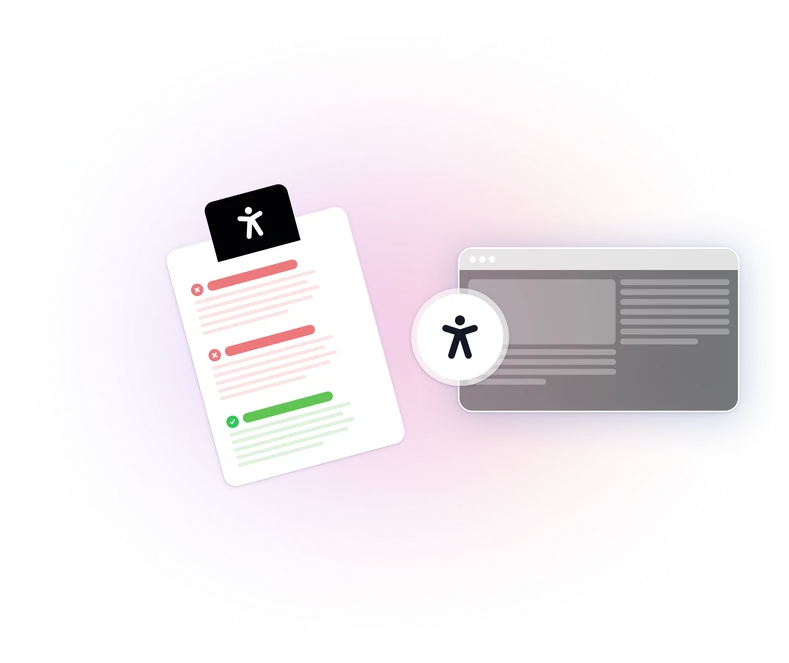
Audit your website, app, or documents against WCAG to identify and prioritize accessibility gaps before making changes. Without that baseline, it's difficult to know which fixes matter most.
Remediation
Use the audit baseline to prioritize fixes by impact, starting with barriers that prevent screen reader or keyboard users from completing essential tasks rather than following the order of findings in the report.
Embedded prevention
The organization is ready to build accessibility checks into design and development workflows once the major gaps from phase two are closed. Otherwise, new work gets checked while existing barriers remain unresolved.
Accessibility standards we work with
| Standard | What it is | How we support your accessibility efforts |
|---|---|---|
| WCAG (Web Content Accessibility Guidelines) | A global accessibility standard developed by the W3C that defines testable criteria for accessible digital content. | YesWe assess websites, applications, and digital products against relevant WCAG criteria. |
| ADA Accessibility Considerations (US) | A US accessibility law that addresses equal access but does not define a specific technical testing standard. | YesWe help identify accessibility barriers and evaluate digital experiences using recognized accessibility guidelines. |
| Section 508 (US) | A federal accessibility requirement for information and communication technology that references WCAG-based criteria. | YesWe support organizations with accessibility evaluations and VPAT/ACR documentation. |
| EN 301 549 (Europe) | A European accessibility standard that defines requirements for ICT products and services. | YesWe help organizations evaluate accessibility considerations relevant to European accessibility requirements. |
Our reports document your conformance status against the standard that may apply to you. The findings are structured for review by your legal and compliance teams.
Get guidance from an accessibility consultant
The right accessibility evaluation approach depends on your product, users, and business requirements. Our accessibility consultants help you understand applicable standards, identify accessibility gaps, and create a clear path toward improving digital accessibility.
How do we identify and resolve accessibility issues?
Identifying issues starts with combining automated scanning and manual testing, because the two catch different, mostly non-overlapping categories of problems. Automated tools are fast and consistent at flagging structural issues — missing alt text, insufficient contrast, missing form labels — but they can't judge whether alt text is actually accurate, whether a reading order makes sense, or whether an error message is genuinely usable with a screen reader. Those require a person testing with the same tools a disabled user would actually use.
After a fix ships, we re-test only the specific items that changed, not the entire site again — a targeted re-test confirms the fix without re-discovering issues that are already documented and unrelated to the change.

Why accessibility consulting with WeAccess.ai?
Findings connect to a fix
Each audit item goes beyond citing a WCAG criterion: it identifies the code pattern or content change needed to fix the issue, giving developers clear steps they can act on.
Real assistive-technology testing
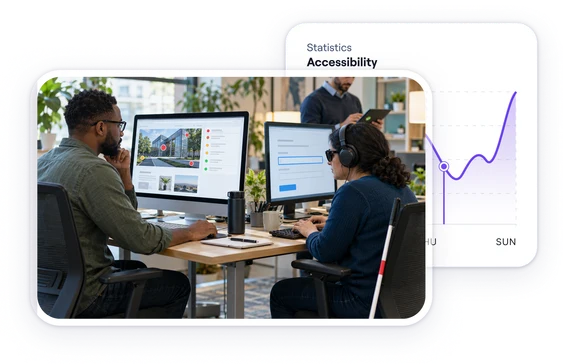
We combine automated scans with screen reader and keyboard testing to uncover barriers scanners miss.
Turkish, English, and German accessibility experience
We evaluate how language switching, text structure, labels, and the assistive technology experience hold up in multilingual digital products. We help ensure content and interfaces in different languages keep meeting accessibility requirements.
We stay engaged after the audit
Through remediation, training, and monitoring, rather than handing over a report and considering the engagement finished.
FAQ
Still have questions? View our complete FAQ section.
Most full-site audits finish within a few business days. Automated scanning covers every page in parallel, so timing depends on site size and scope rather than how many pages a reviewer can get through by hand.
No. The audit documents your technical conformance with WCAG and maps each finding to the regulation it relates to. That evidence is what your legal team works from, but the legal assessment itself stays with your counsel.
WCAG 2.2 Level AA is the baseline. Findings are also mapped to ADA, the European Accessibility Act, Section 508 and EN 301 549, so you can see your status against whichever framework applies to you.
Yes. An overlay adds user-facing tools on top of your site, but it cannot repair the underlying markup, reading order or keyboard traps. The audit finds and fixes the source problems; the two work together rather than replacing each other.
Yes. Every finding comes with code-level remediation guidance, and our team works alongside your developers during implementation, then retests to confirm each fix resolves the issue.
Once a year for a stable site, and after any major redesign or platform migration. For sites that ship frequently, ongoing monitoring catches regressions between full audits.
Build digital experiences everyone can use.
See how WeAccess can help your organization manage accessibility across web, mobile, documents and media.