

Developer Accessibility Services
Your design team can approve every mockup and your QA team can sign off on every release, and your product can still fail WCAG. Compliance is decided in the code. It comes down to how a component is marked up, how focus moves, and how a form reports its own errors.
We work directly with your developers, inside your codebase, to close that gap before it reaches production.
Trusted by organizations building more accessible digital experiences.
















What is developer accessibility?
Developer accessibility is the set of implementation-level practices that decide whether an accessible-looking design actually behaves accessibly. Semantic markup, keyboard support, focus management, and correct ARIA all sit here. A design system can specify perfect contrast and a component still fails if a dropdown is built from unlabeled divs.

Findings mapped to files — Each issue points to the file and line, not just the URL.
React, Vue, Angular — We work in the framework your team already uses.
WCAG 2.1 / 2.2 AA — Reviewed criterion by criterion, at code level.
PR review and CI checks — Help catch regressions in pull requests, before the next audit.
What's Included?
Code-level accessibility review
Your current components are reviewed against WCAG 2.2 AA, with each finding mapped to the code that causes it.
Direct remediation in your codebase
We fix flagged components ourselves, so accessibility work does not compete with your feature roadmap.
Pairing on hard components
Custom dropdowns, modals, and data tables are built together, and the pattern is documented for next time.
ARIA implementation support
ARIA is applied only where native HTML cannot do the job, following WAI-ARIA Authoring Practices.
Pull request review
Accessibility feedback arrives inside your normal review process, before the code merges.
Keyboard and focus management
Tab order, visible focus, and focus traps in modals and overlays are tested and corrected.
Everything happens inside your existing development workflow, not in a separate audit track your team has to interpret afterward.
Who needs developer accessibility support?
Teams with an audit backlog
An audit came back with more findings than the team knows how to translate into code changes.
Teams facing a deadline
A legal or procurement deadline is approaching faster than the remediation backlog is shrinking.
Teams without an accessibility specialist
Nobody on staff has built accessible custom components before, so every widget becomes a research project.
Teams shipping continuously
Frequent releases mean regressions appear between audits, not just before them.
Most in-house teams already know accessibility matters. What they lack is time and a developer who has done this work before.
How accessibility fits into your development lifecycle?
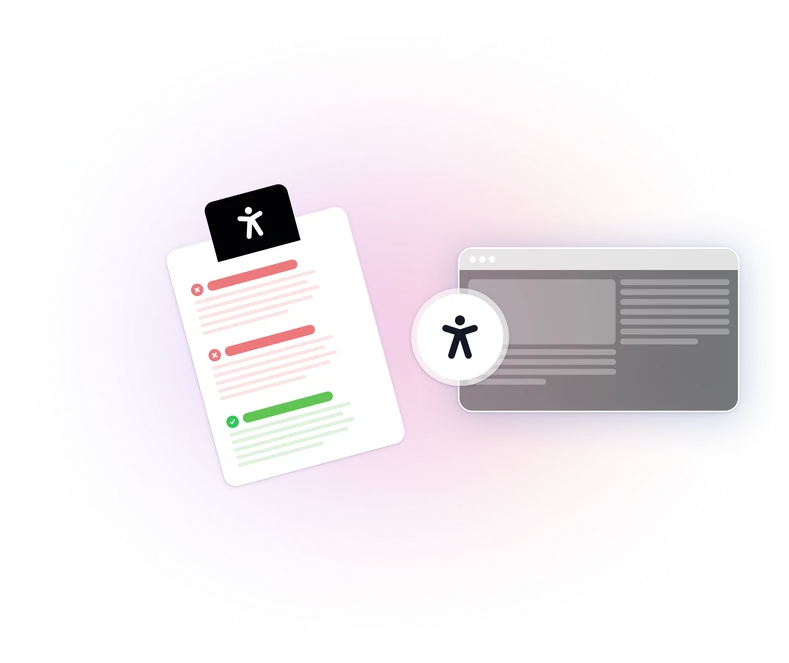
Planning and design
Accessibility requirements are defined alongside functional ones, covering focus order, keyboard navigation, and error behavior.
Development
Automated checks and code review catch missing labels, non-semantic HTML, and incorrect markup before release.
Quality assurance
Manual testing with keyboards, screen readers, and assistive technology covers what automated tools cannot assess.
Pre-release validation
Accessibility is verified before launch, with findings tied to specific components rather than pages.
Maintenance and monitoring
New features and updates are checked to reduce the risk of fixed issues returning after the next release.
What exactly gets fixed in the code?
- Semantic HTML
- Heading Structure
- Landmark Regions
- Alt Text
- Form Labels
- Error Messages
- Keyboard Navigation
- Tab Order
- Focus Visibility
- Focus Management
- Focus Traps
- Tab Panels
- Live Regions
- Custom Dropdowns
- Comboboxes
- Date Pickers
- ARIA Roles and States
- Modals
- Data Tables
- Dynamic Content Announcements
- Third-Party Widgets
Most of these never appear in a design mockup. They exist only once a developer has made an implementation choice, which is why only a developer can resolve them.
Standards & regulations we work with
WCAG 2.2 AA
The technical baseline many accessibility laws and procurement requirements point to. Some regulations refer to WCAG 2.1.
ADA
Considered when assessing legal requirements in the US. WCAG criteria inform the technical implementation.
EAA
Mandatory across the EU since June 2025 for e-commerce, banking, and transport services.
Section 508
Applies to ICT used by US federal agencies. Vendors selling to them are usually asked to show conformance.
EN 301 549
The European standard that maps onto WCAG and also covers software and documentation.
Our reports document your conformance status at component level. The findings are structured for review by your legal and compliance teams.

Why WeAccess.Ai instead of a basic checker?
| Criteria | Automated scanner | Audit report only | WeAccess.Ai |
|---|---|---|---|
| WCAG criteria coverage | Structural rules only | Comprehensive, point in time | YesComprehensive, at code level |
| Output | A list of symptoms | A document to interpret | YesFindings mapped to files and lines |
| Who does the fix | Your team, unaided | Your team, unaided | YesUs, your team, or both |
| Framework awareness | None | Limited | YesReact, Vue, Angular, custom |
| Preventing regressions | None | Found again next audit | YesCI checks on every pull request |
A scanner can tell you an ARIA attribute is invalid. It cannot tell you which component pattern to use instead.
Why choose our developer accessibility team?
We fix, not just report
Remediation happens in real components and real pull requests, not in a document handed back to your team.
Established accessibility patterns
Components are built on established patterns, so they stay maintainable as your product evolves.
Your stack, your workflow
We adapt to React, Vue, Angular, or a custom framework, and to how it handles rendering and focus.
Capability that stays behind
Pairing sessions and documented patterns help your team build the next similar component with less outside help.
Turkish, English, and German
We review interface content in all three languages and report in the one your team works in.
FAQ
Still have questions? View our complete FAQ section.
Both are available. We can fix flagged components in your codebase, or review and guide while your developers implement the changes.
We work in React, Vue, Angular, and custom or server-rendered stacks. The accessibility patterns are the same; we adapt them to how your framework handles rendering and focus.
We document conformance criterion by criterion and fix what is in scope. Full conformance also depends on content and third-party components, so we report the status of each honestly rather than promising a single label.
Whichever you prefer. Many teams start with us doing the remediation, then move to pairing and pull request review as their own capability grows.
A focused component-level engagement usually runs a few weeks. Larger products with an existing audit backlog are planned in phases, prioritising the highest-impact findings first.
We document their impact, test the accessible alternatives, and where a vendor cannot be changed we help you wrap, replace, or escalate the issue with evidence.
Build digital experiences everyone can use.
See how WeAccess can help your organization manage accessibility across web, mobile, documents and media.