

Automated Accessibility Remediation Services
Fix common WCAG accessibility issues at scale with automated remediation. Identify recurring technical barriers, apply appropriate fixes, continuously re-scan your website, and validate results with accessibility experts.
Automated remediation helps resolve common issues faster while keeping manual testing and expert review in the process for accessibility barriers that require human judgment.
Some of the organizations we work with
















What is automated accessibility remediation?
Automated accessibility remediation is a technology-based approach that identifies accessibility issues and automatically applies fixes for failures with clear, rule-based solutions. Unlike an accessibility audit that primarily identifies and reports issues, remediation directly addresses eligible technical problems in the website code or through a scanning and remediation layer. Fixes made through the layer do not change the source code; for a permanent solution, we recommend transferring these fixes into the code.
Common examples include missing alternative text, unlabeled form fields, insufficient color contrast, incorrect markup, and missing accessibility attributes. However, automation cannot reliably resolve every accessibility issue. Problems involving meaning, context, content structure, usability, or complex user journeys still require manual testing and expert evaluation.
What's Included?
Automated accessibility issue detection
Scan websites and identify recurring accessibility failures against relevant WCAG 2.1 and WCAG 2.2 criteria.
Rule-based remediation
Apply automated fixes to accessibility issues that have a defined technical solution, such as missing attributes, labels, or certain contrast problems.
Staged remediation review
Review automated changes in a test or staging environment before they are deployed to production, helping identify unintended effects.
Continuous re-scanning
Re-scan websites after updates and content changes to identify accessibility issues that may return or appear in newly published content.
Manual accessibility validation
Expert testers review automated remediation results and investigate accessibility barriers that cannot be reliably evaluated through automation.
Accessibility reporting
Track detected issues, applied remediation, remaining barriers, and areas requiring manual intervention to support transparent accessibility management.
Our automated remediation service detects recurring accessibility issues, applies fixes where a reliable technical solution exists, and checks the results before release. Ongoing scans and reporting help your team track remaining barriers as your website changes.
Who needs automated accessibility remediation?
Large websites
Organizations with thousands of pages, templates, and content variations can use automation to address recurring technical accessibility issues at scale.
E-commerce websites
Large product catalogs, forms, filters, checkout flows, and continuously changing content can introduce recurring accessibility issues that benefit from ongoing scanning.
Enterprise organizations
Organizations managing multiple websites, platforms, or digital properties can use automated remediation to maintain accessibility across a large digital estate.
Frequently updated websites
Websites that regularly publish content or release new features can reintroduce accessibility issues after remediation. Continuous scanning helps identify these changes.
How does automated accessibility remediation work?
Baseline scan
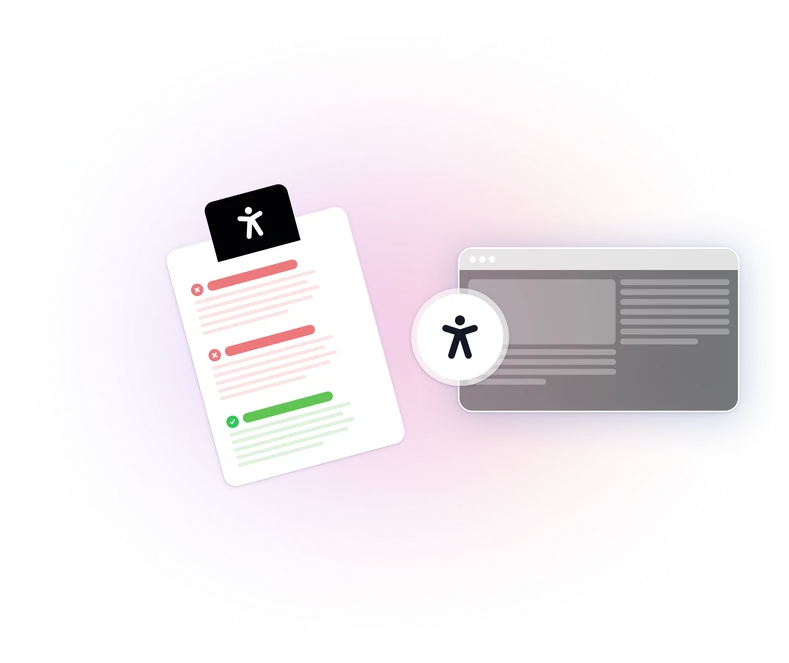
The website or selected pages and templates are scanned to establish an initial accessibility baseline.
Triage
Issues are categorized according to their technical characteristics and whether they can be safely addressed through automation.
Staged fixes
Eligible fixes are applied in a controlled environment before being deployed to the live website.
Verification
The website is re-scanned after remediation to check whether the identified accessibility failure has been addressed.
Ongoing monitoring
Continuous or recurring scans help identify new issues introduced through content, code, component, or design changes.
Standards & regulations we help you meet
Perceivable
Automation can support technical issues such as missing alternative text and other detectable barriers affecting how information is presented.
Understandable
Automation has limitations when evaluating content clarity, instructions, error messaging, and whether a process is logically understandable.
Operable
Automation can assist with certain technical interaction issues, while keyboard behavior, focus management, and complete user journeys may require manual testing.
Robust
Automated remediation can address certain markup, attribute, and structural issues that affect how assistive technologies interpret content.
Our reports document your conformance status at component level. The findings are structured for review by your legal and compliance teams.
What accessibility issues can automated remediation address?
Missing or empty alt text
Images without appropriate text alternatives can be identified. Where appropriate, suggested alt text is generated and flagged for review before publishing.
Insufficient color contrast
Measurable contrast failures can be identified and addressed where an appropriate replacement value can be determined.
Unlabeled form fields
Form controls without an associated accessible label can be identified and appropriate labeling can be applied programmatically where the relationship is clear.
Missing or incorrect ARIA attributes
Certain missing roles, states, and properties can be identified and corrected for custom interface components.
Empty or vague link and button text
Generic accessible names such as "read more" or "click here" can be identified and addressed where sufficient contextual information exists.
Missing document language and page titles
Missing language attributes and page titles can be identified and populated where the appropriate value can be determined.
Automated remediation is most effective for accessibility failures that follow consistent and detectable technical patterns.
Why WeAccess.Ai instead of a basic checker?
| Basic accessibility checker | WeAccess.Ai automated remediation |
|---|---|
| Identifies accessibility issues | YesIdentifies and addresses eligible accessibility issues |
| Primarily produces reports | YesSupports detection, remediation, verification, and monitoring |
| Limited to automated findings | YesCombines automation with expert validation |
| May require developers to fix every issue manually | YesApplies rule-based fixes where automation is appropriate |
| Often used as a one-time check | YesSupports continuous re-scanning |
| Does not distinguish all automation limitations | YesSeparates automated fixes from issues requiring human review |
Automated remediation is not simply another accessibility scan. The objective is to move from identifying recurring technical failures to continuously managing and validating accessibility improvements.

FAQ
Still have questions? View our complete FAQ section.
No. Automation helps resolve failures that follow consistent technical patterns. Issues involving meaning, context, content structure and complex user journeys still need manual testing and expert review. This is why validation is part of the service.
The baseline scan usually finishes within a few business days depending on site size. Remediation is then staged, reviewed and deployed in cycles rather than all at once, so you see progress per release.
No, and any tool claiming otherwise should be treated carefully. We separate what automation can safely fix from what needs human review, and we report both so you always know what is left.
Some fixes can affect appearance. For example, contrast fixes change color values. For this reason, all changes are reviewed in a staging environment and submitted for your approval before going live.
Yes. An audit gives you the full picture, including the barriers automation cannot detect or resolve. Automated remediation handles the recurring technical layer; the audit covers the rest.
They are flagged separately in the reporting with the context your developers need, so they can be prioritized and handled manually rather than quietly left in place.
Build digital experiences everyone can use.
See how WeAccess can help your organization manage accessibility across web, mobile, documents and media.